Measure the workspace while it is in use. The desk, screen, chair movement and walking route must fit together; tabletop width alone cannot tell you that.
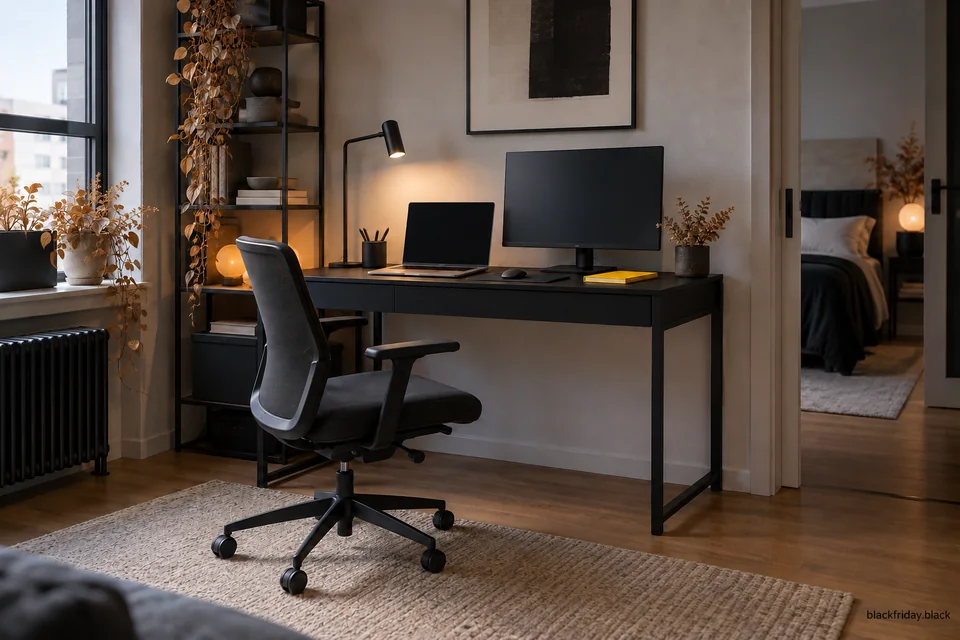
The right desk for a small apartment is the one that leaves you room to work and room to live. It needs to hold your equipment, let you sit comfortably and allow doors and drawers to open. A tiny tabletop is not automatically a compact workspace once the chair and cables are in place.
Before buying, mark the proposed desk on the floor with removable tape or use a paper plan. Add the chair in its working position and again where it goes when you stand up. Walk past it, open the nearest door and imagine another person using the room. This quick rehearsal reveals problems a product photograph cannot show.
You may discover that a slightly wider but deeper desk works better than a narrow shelf-style desk. Or that a simpler top without drawers leaves more useful legroom. Choose around your equipment and your room, rather than around the word “compact” in a listing.
Begin with the work you actually do
Put your everyday equipment on an existing table. Include the laptop or monitor, keyboard, mouse, notebook, lamp and anything you reach for often. This is your working arrangement, not a display with half the objects removed.
A laptop used occasionally needs less space than a laptop on a stand with a keyboard and separate monitor. Paperwork, drawing and video calls may each add their own needs. If two people use the desk at different times, test both arrangements.
Write down what must stay on the surface and what can live elsewhere. A printer used weekly might fit on a separate shelf. A mouse needs clear movement space next to the keyboard. A mug needs a place where it will not sit beside an exposed cable or on top of documents.
Avoid buying a desk first and discovering afterward that its usable area is smaller than your routine. The laptop total-cost guide helps budget the equipment side of the same setup.
Measure width, depth and the space underneath
Width tells you how much can sit side by side. Depth helps position the screen and input devices. Clear space underneath determines whether you can sit in front of them. All three matter.
Look for actual usable measurements, not just the outer dimensions. A rear shelf, thick frame, drawer unit or angled legs can reduce the space you need. Product pictures taken from above often hide these obstacles.
Measure the opening between supports and drawers. Compare it with your chair and your seated leg position. Check whether a central drawer forces the keyboard too high or a cabinet pushes you off to one side. Your main screen and keyboard should be easy to place in front of you.
Measure height as well. A desk can look good in a photograph yet be too high or too low with your chair. If your current comfortable setup has useful measurements, start from those. Do not assume a generic height works for every body, chair or task.
Desk depth and viewing distance are different
The distance that matters for the screen is from your eyes to the display, not from the front edge of the top to the back edge. The monitor stand consumes depth, and your seated position changes the distance too.
US OSHA workstation guidance generally suggests a monitor about 20–40 inches, or 50–100 cm, from the eyes, with the top of the screen at or below eye level. This is a starting point for arranging a workstation, not a rule that every desk must have one fixed depth. Screen size, readable text and your own setup still matter.
Try the equipment at the proposed distance. If text is too small, adjust suitable display scaling rather than immediately moving a large screen close to your face. Check that the keyboard and mouse still fit without balancing your wrists at the edge.
A monitor arm can free surface space, but it does not remove the need for suitable viewing distance. It may also need room behind the desk, so a top pushed tight against a wall can prevent the arm from moving as intended.
Make room for the chair and for getting up
Measure the chair with its arms, back and base included. Then check its position while you work and the space needed to push it back. A chair that fits neatly underneath when empty may still block the room whenever you sit down.
Check whether the armrests pass below the desk. If they do not, the chair may remain much farther out when stored. Ask whether adjustable arms solve the problem before buying a different chair or desk.
| Room constraint | What to test | Possible adjustment |
|---|---|---|
| A door beside the desk | Full door swing with the chair occupied | Move the desk or change its orientation |
| A narrow passage | Walking past the chair while someone works | Remove a cabinet or choose another wall |
| A radiator behind the top | Heat, access and the manufacturer’s clearance | Change the desk location |
| A shallow room | Eye-to-screen distance plus chair movement | Reduce equipment footprint or use a different arrangement |
| Storage under the desk | Knees, feet and cable access | Move storage upward or beside the desk |
Do not treat a blocked exit or a cable across a walking route as a harmless compromise. If the room stops working while the desk is occupied, the arrangement needs changing.
Storage is helpful only when it stays out of the way
Drawers can keep a small home tidy, but they can also remove the best sitting position. Compare the usefulness of the storage with the legroom it takes away. A plain top and a narrow shelf elsewhere may provide more workable space than a bulky all-in-one unit.
Use vertical storage where it suits the room, but check access and mounting requirements. A shelf that leaves the desk clear is less useful if you must stand on the chair to reach it. In a rented home, check permission and the building’s suitable fixing arrangements before choosing wall-dependent furniture.
Give each stored item a place. Avoid buying drawers because you hope they will solve vague clutter. If the contents are cables, a notebook and stationery, a small organiser might be enough. If you store heavy equipment, check the furniture’s stated load limits.
A folding desk needs a daily routine
A folding desk can reclaim room between uses, but rehearse what you would do each day. Where does the monitor go? Can the laptop be unplugged easily? Do you have a safe place for the lamp and keyboard? Is the folded furniture stable in its stored position?
If clearing and rebuilding the desk takes too much effort, it may stay open permanently. Then you have the same footprint as an ordinary desk, with the folding mechanism adding complexity.
A wall-mounted or drop-leaf option also has mounting and load requirements. Follow the maker’s guidance for the actual wall and fittings. Do not assume that a product photograph proves it can be installed in your property.
A compact permanent setup can be easier to use than a more elaborate fold-away arrangement. The better choice is the one whose ordinary routine you can live with.
Check monitor arms and sit-stand desks properly
For an arm, confirm screen mounting compatibility, weight, clamp range and the desktop construction. A hollow or thin top may need a different approved attachment or may not support the proposed arm. Ask the desk and arm makers if the arrangement is unclear.
Check where the clamp sits, whether a frame blocks it and how far the arm extends behind the desk. Add any required mounting parts to the budget. Buying the arm first and hoping the desk will accept it is an expensive way to learn.
For a sit-stand desk, check the lowest and highest usable positions, load limit, stability and the surface size. Make sure cables have enough slack at both heights without hanging into the passage. Check overhead shelves, windows and nearby furniture through the full movement.
A motor does not guarantee a comfortable seated height. Nor does standing solve a layout that leaves no place for the keyboard or mouse. Treat adjustment as a feature that supports the setup, rather than as proof that the setup works.
Think about light, sockets and shared living
Look at the room during the hours you will work. A window can create screen reflections even when the desk looks ideal at night. Rotate the screen or consider suitable blinds before deciding that the display needs replacing.
Check where power and network connections will run. Keep cables away from chair wheels, doorways and moving desk parts. Make sockets and plugs accessible; hiding them behind heavy furniture makes a simple equipment change harder.
If the room is also a bedroom or living room, consider noise, video-call background and how work items are stored after use. A desk facing a wall may free more shared space, while another position may give better light. There is no universal apartment layout. Your room’s everyday use decides the trade-off.
Compare the cost of a working desk
Include delivery, any necessary assembly, required mounting equipment and accessories you actually need. Do not count a chair you already own as a new expense if it works with the candidate.
In a hypothetical comparison, desk A costs £120, delivery is £25 and a compatible monitor arm needed for its shallow top is £45. Its working cost is £190. Desk B costs £160 delivered and has enough depth for your existing stand. B is £30 cheaper for that setup, despite its higher item price.
Before paying, ask for packaged dimensions and weight. A flat-pack top may arrive separately, while a ready-built desk may not turn through your stairwell. Check whether delivery reaches your floor, who carries the box and what assembly involves. Our stair and delivery measurement guide covers the route through the building.
Rehearse the finished workspace
Use your marked plan and sit in the likely position. Place the screen, open a notebook, move the mouse, reach for the lamp and get up. Check door movement, chair storage and the walking route once more.
Keep the exact model, usable dimensions, mounting answers and complete cost with your order. When the furniture arrives, check the parts and follow its assembly instructions before loading it with equipment.
A good small-apartment desk does not have to be the smallest desk available. It needs to make work easy while leaving the apartment usable. That is the fit worth paying for.
Keep the desk’s connections in the space plan. If it sits far from your internet equipment, the router and mesh guide compares placement and the link between network units. If furniture assembly also puts a new drill on your shopping list, compare the complete cordless tool platform rather than a bare tool alone.